
Latin America: configurator software for dealer networks, custom software and rollout
Latin America: a practical guide to custom configurator software, from catalogue rules and 3D to quotes, dealers and factory data.
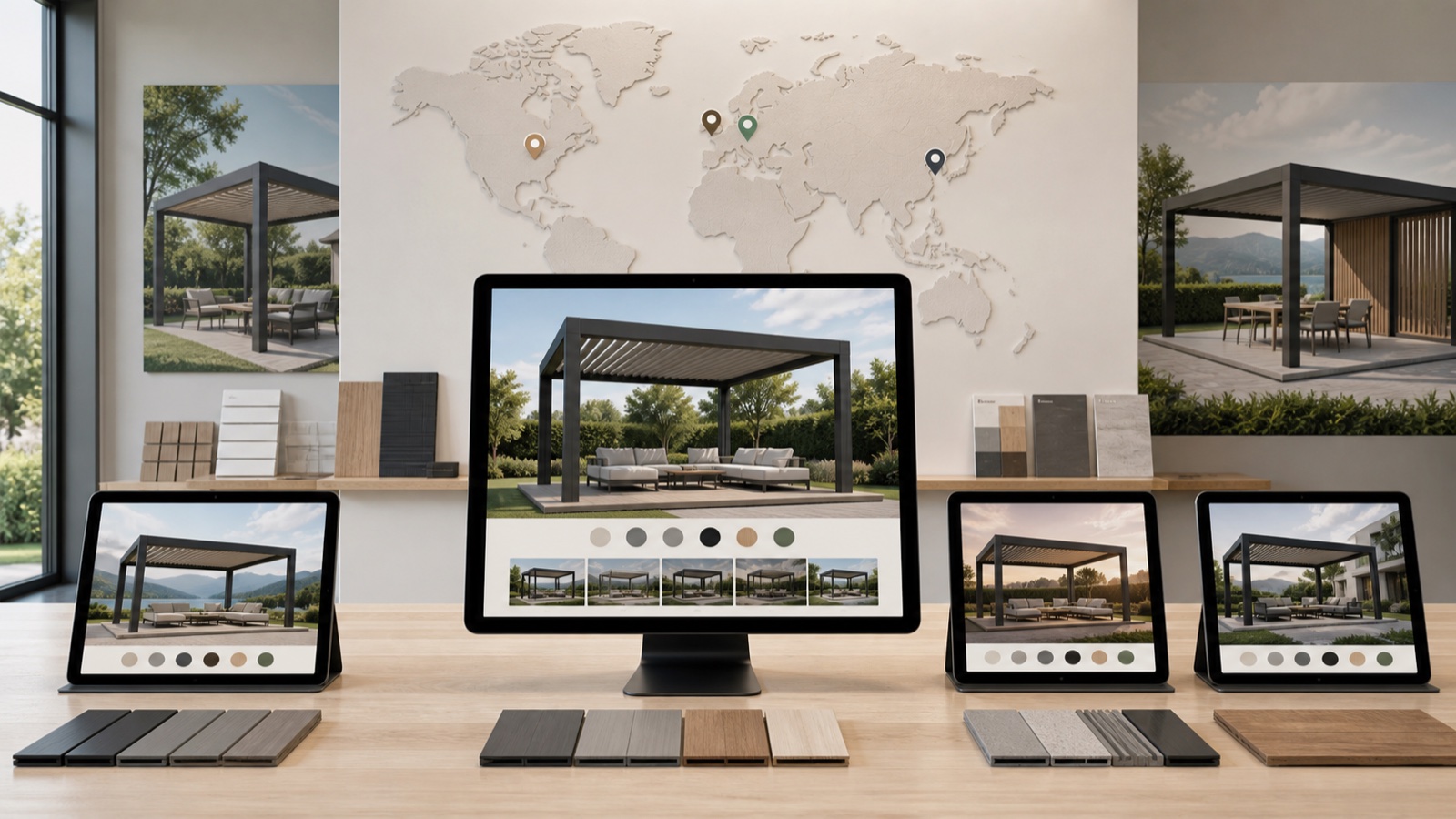
Table of contents
- What should the first release solve?
- A practical custom-software architecture
- Product families that fit this scope
- Why custom software matters
- Information to bring into discovery
- From catalogue workshop to controlled rollout
- 1. Define
- 2. Model
- 3. Build
- 4. Test
- 5. Release
- Acceptance cases worth testing
- Questions buyers should ask
- Can Configurix replace an existing configurator?
- Can it create prices, quotes or BOMs?
- Can one platform serve several countries?
- How should a manufacturer start?
- A focused next step
Latin America: configurator software for dealer networks, custom software and rollout should connect a clear buying experience to the product rules and business records that the manufacturer actually uses. A rotating model on its own is not a complete configurator.
Configurix builds custom, browser-based configurator software around each manufacturer’s catalogue, brand, commercial model and operational workflow. The scope can include guided selection, real-time 3D, pricing, quotes, dealer access, BOM mapping and integrations, but every output must be defined and accepted for the specific project.
What should the first release solve?
A useful first release starts with one representative product family, one primary user and one completion event. For this topic, the discovery workshop should examine:
- translated interfaces with stable product IDs and shared rules
- a fast mobile journey for site visits and customer conversations
- dealer catalogues, territories and account-specific journeys
For Latin America, the exact catalogue, commercial rules, legal text, tax treatment, fulfilment promise and service coverage remain the responsibility of the business operating the configurator. Configurix does not claim a local office, installer network or customer reference merely because a market is discussed.
A practical custom-software architecture
Treat the configurator as a governed product application. Keep the layers explicit so a visual success cannot hide missing commercial or factory behavior.
| Layer | Decision to document |
|---|---|
| Catalogue | Models, dimensions, options, exclusions, dependencies and stable references. |
| Experience | Responsive controls, accessibility, language, 3D state and save/resume behavior. |
| Commercial | Price authority, discounts, taxes, freight, quote status and approval boundaries. |
| Operations | BOM, CAD, job pack or engineering request, including revision and release status. |
| Integration | Source and destination systems, identifiers, validation, retries and acknowledgements. |
Product families that fit this scope
Configurix can apply the same disciplined foundation to different configurable products. These links show relevant product journeys; they do not imply that every output is included automatically.
door, pergola, industrial equipment.
A project can start with one of these families or with another configurable product. The important point is to define the actual option model, constraints, assets and accepted output rather than force the catalogue into a generic demo.
Why custom software matters
A generic tool can be useful when the product, workflow and output already fit its model. Custom software becomes valuable when product rules, visuals, dealer roles, prices or factory records must follow the manufacturer’s own way of working.
Custom does not mean starting without structure. Reuse proven interface, data and testing patterns, then customize the product model, roles, integrations and branded experience. This keeps the implementation focused on business differences instead of rebuilding common controls.
For this subject, the custom layer should concentrate on translated interfaces with stable product IDs and shared rules, a fast mobile journey for site visits and customer conversations, dealer catalogues, territories and account-specific journeys. That concentration creates a useful acceptance boundary and prevents the first release from becoming an undefined transformation programme.
Information to bring into discovery
Good custom software starts with source material, ownership and examples. Assemble these inputs before estimating the first release:
- Current product catalogue with stable model and option references.
- Dimension ranges, dependencies, exclusions and at least one engineering exception.
- Approved price source plus a completed quote that can be recalculated.
- Available 2D, CAD, 3D, material and image assets with named owners.
- Example lead, quote, order, BOM or project record expected at completion.
- Target systems, field identifiers, authentication method and responsible integration owner.
From catalogue workshop to controlled rollout
1. Define
Choose the representative product, user, completion event and owners of each source record.
2. Model
Map option IDs, ranges, dependencies, calculations and exception routes before polishing the interface.
3. Build
Connect controls and 3D state to the same configuration record, then add only agreed outputs.
4. Test
Use valid, invalid, boundary, revised and interrupted cases across mobile and desktop.
5. Release
Launch to one audience, measure completion and data quality, then expand by market or product family.
Acceptance cases worth testing
- A valid standard configuration reaches the intended completion event with every required field.
- An invalid combination is prevented or routed to a named review path without inventing an answer.
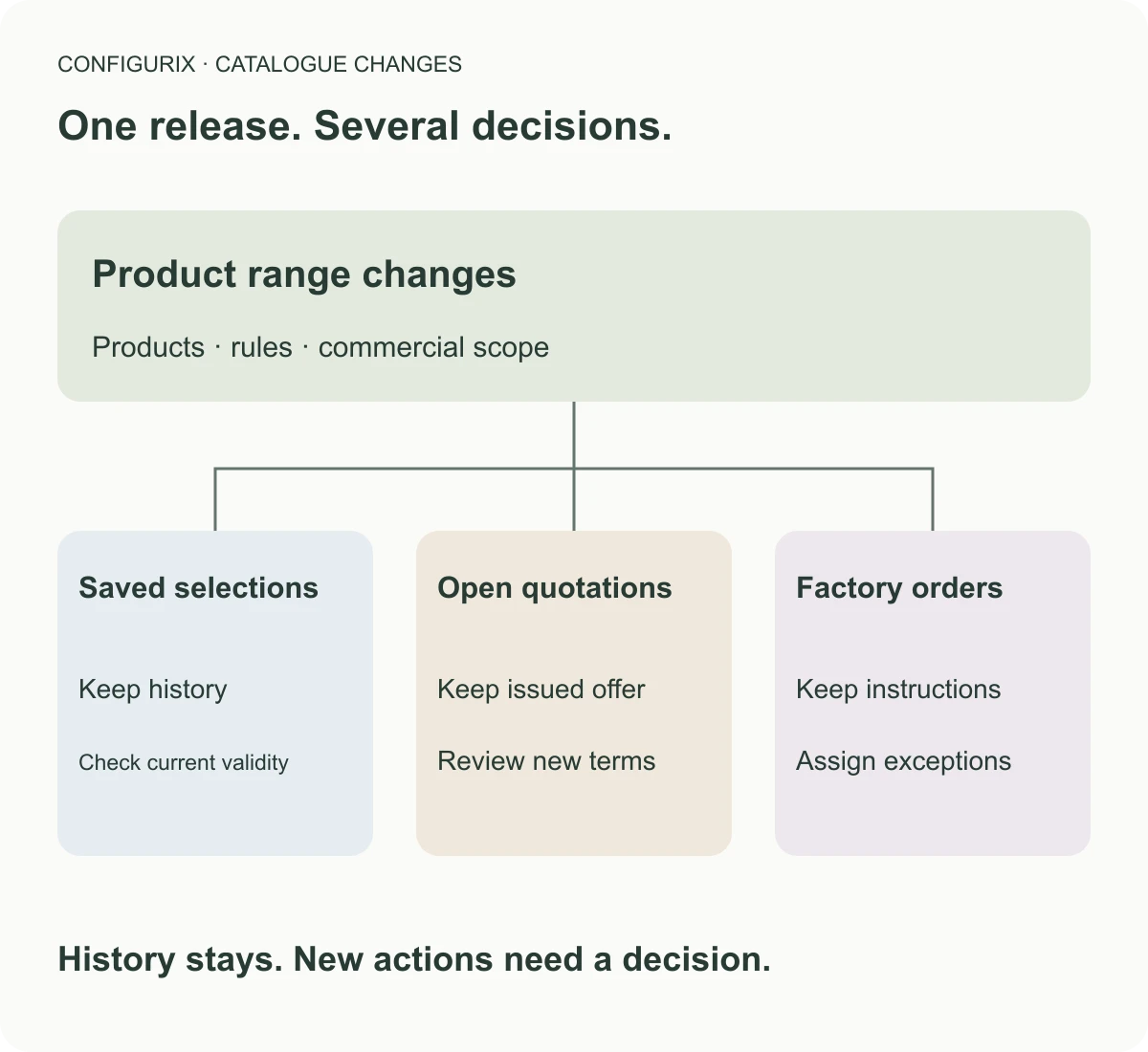
- A saved project preserves its catalogue and price context when a later version is published.
- An integration timeout can be retried or reconciled without creating a duplicate order.
- The receiving team can trace the lead, quote or factory record back to the exact configuration revision.
These tests should use the manufacturer’s real codes and expected records. Sample screenshots are useful for design review, but they do not prove calculations, permissions, document content or a receiving-system handoff.
Questions buyers should ask
Can Configurix replace an existing configurator?
Yes, after the current URLs, catalogue, saved projects, assets, analytics and downstream records are inventoried. Migration scope and continuity rules should be explicit.
Can it create prices, quotes or BOMs?
Yes when approved inputs, calculations, mappings, permissions and examples are part of the agreed scope. A visual demo alone does not prove these outputs.
Can one platform serve several countries?
Yes. Language, catalogue availability, units, currencies, price lists and user roles can vary while stable product references and shared rules remain governed.
How should a manufacturer start?
Bring one product family, current catalogue, representative quote, exception example and the systems that should receive the result. Turn them into testable acceptance cases.
A focused next step
The strongest next step is a working session around one real product and one real completed order. That reveals the rules, data ownership and handoffs a useful configurator must support.
Plan your custom configurator
Bring one product catalogue, one representative quote and one completed order. We will map a focused, testable first release.
Book a working session →Related articles

France: custom 3D configurator software and rollout
France: a practical guide to custom configurator software, from catalogue rules and 3D to quotes, dealers and factory data.
Catalogue and configuration version control for manufacturers
International markets: a practical guide to custom configurator software, from catalogue rules and 3D to quotes, dealers and factory data.
Mexico: custom 3D configurator software and rollout
Mexico: a practical guide to custom configurator software, from catalogue rules and 3D to quotes, dealers and factory data.
Poland: custom 3D configurator software and rollout
Poland: a practical guide to custom configurator software, from catalogue rules and 3D to quotes, dealers and factory data.